
Getting started
How to Find Your KYMCO Part: Diagrams, VIN Lookup & Ordering Explained
A plain-English walkthrough of the whole store: identify your KYMCO by VIN or model, read the factory diagrams, click a part on the drawing, and order it.

This store is KYMCO's own factory parts catalog made shoppable: the same exploded-view drawings and part numbers a dealer's parts counter uses. That means you never have to guess whether a part fits: if it's on your model's diagram, it's the part KYMCO built your machine with. This guide walks through the whole process, assuming zero technical knowledge, from “something on my scooter broke” to a genuine OEM part on its way to your door.
- Model versions1,800+every year and colour KYMCO documents
- Factory diagrams61,300+exploded views with clickable callouts
- Genuine parts29,300+each with its own product page
- Ways to start3VIN, model picker or search
Step 1: Tell the store which KYMCO you have
Everything starts with your exact vehicle, because KYMCO documents every model, year, and even color separately. There are three ways to get there; use whichever feels easiest.
Option A: The VIN lookup (most exact, recommended)
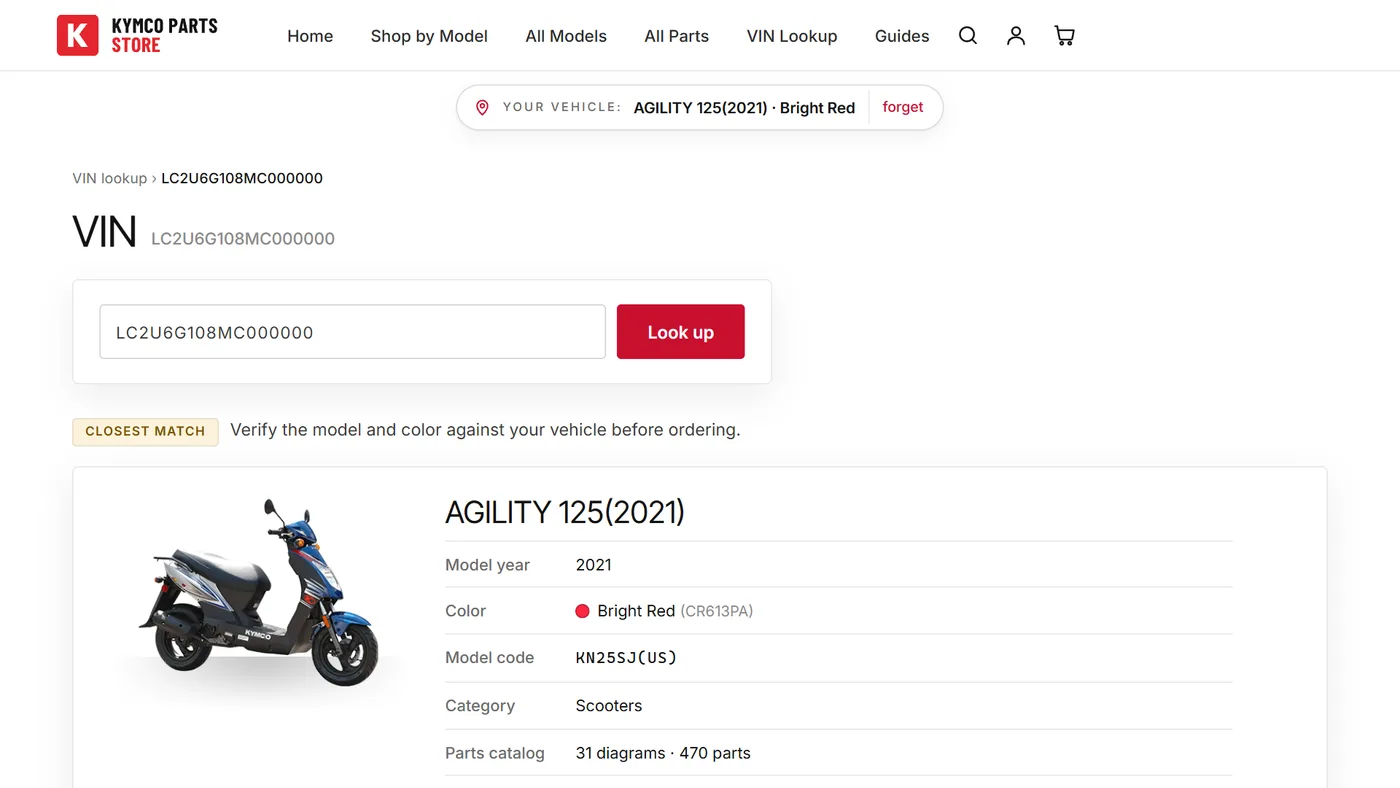
The VIN is your vehicle's 17-character identification number. You'll find it stamped on the frame and printed on your title, registration, or insurance card. It never contains the letters I, O, or Q. That's how you tell a 1 from an I.
Type it into the VIN lookup and the store identifies your exact model, model year, and factory color, then hands you a button straight to your parts catalog. A badge tells you how sure the match is: Vehicle found means it's exact; Likely match means the model is certain but you should double-check the color against your machine; Closest match means verify both before ordering.
Option B: Shop by model
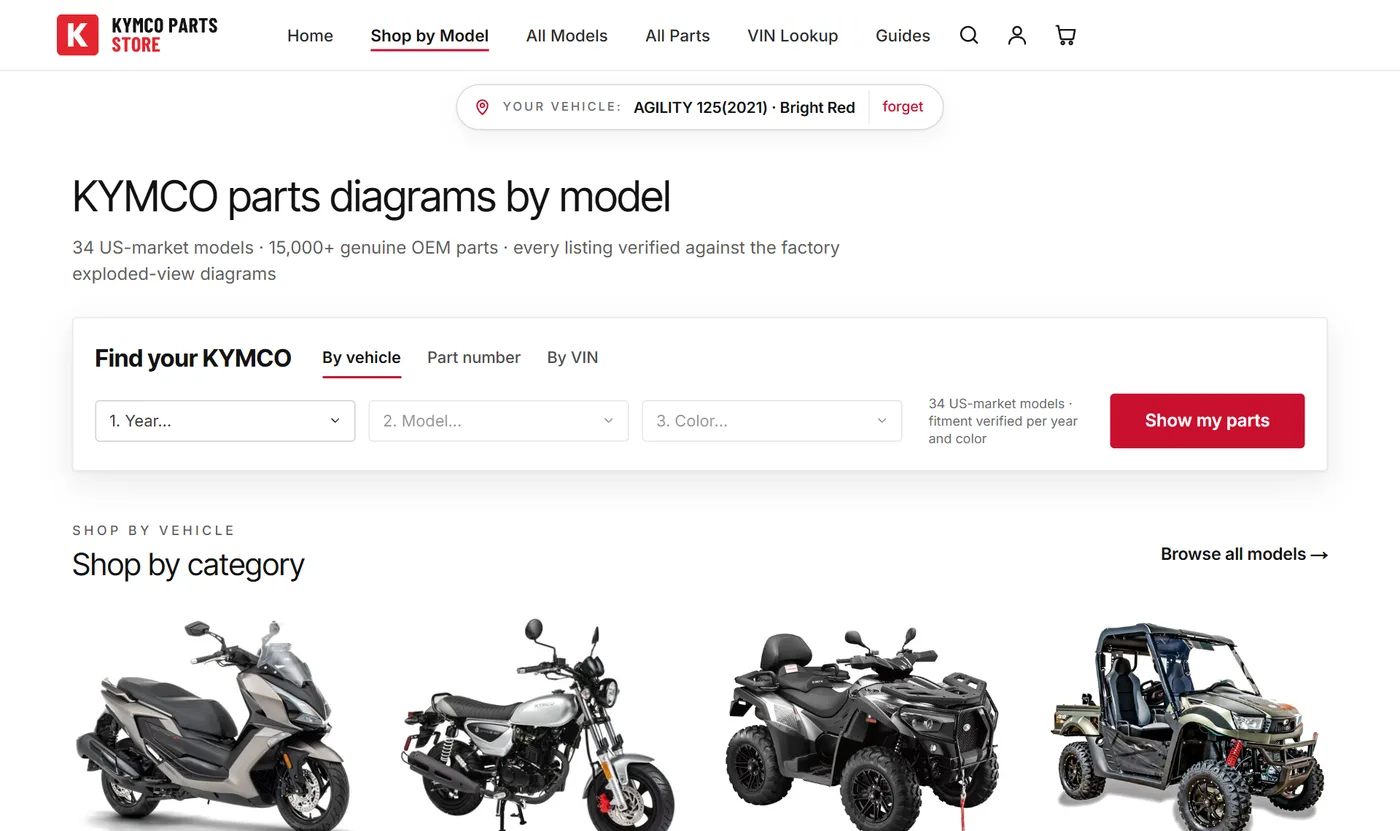
No VIN at hand? Start on the homepage and narrow down step by step: vehicle type (scooter, motorcycle, ATV, side-by-side) → model family → engine size → year → color. If you're not sure of the year, your title or registration lists it.
Why does color matter? For engine and mechanical parts it usually doesn't, but painted bodywork panels, decals, and some trim differ per color, so KYMCO publishes a separate catalog for each. Picking your actual color means even the plastic panels shown are the right ones.
Option C: Just search for it
The search box understands model names and codes: type “Super 8”, “AK 550”, or the model code from your registration and click through to your vehicle.
The site remembers your machine
Once you've found your vehicle (by VIN or by opening its catalog page), a slim Your vehicle bar appears under the header on every page, linking straight back to your parts catalog. Search and the all-parts list also gain an only my vehicle checkbox, so results show only parts that actually fit your machine. This is saved in your browser, not an account, so there is nothing to sign up for.
Step 2: Pick the assembly the part lives in
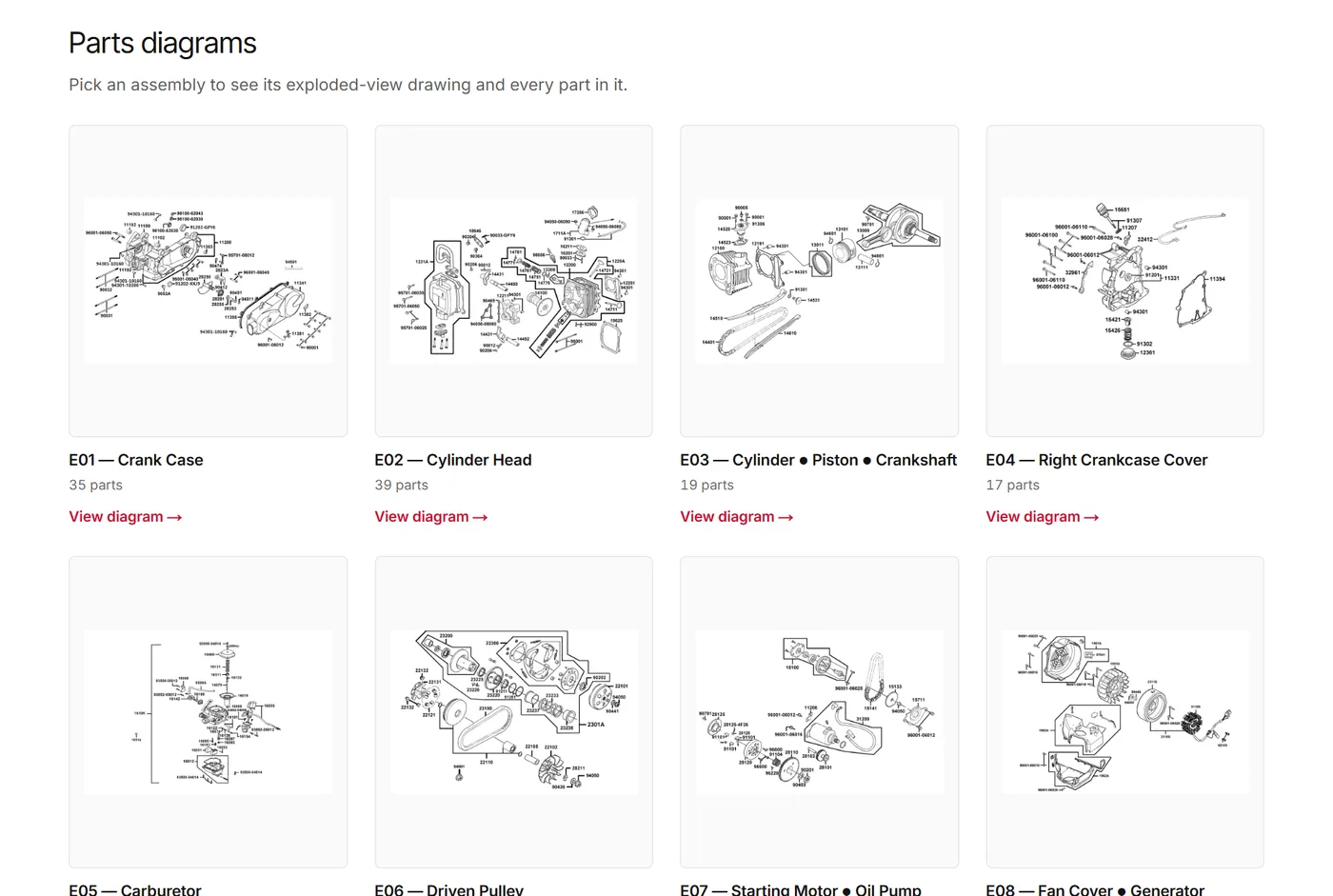
Your model page lists every factory diagram as a card with a small preview drawing. Codes starting with E are the engine side (cylinder, transmission, oil pump…); codes starting with F are frame and bodywork (panels, seat, wheels, brakes, lights…).
You don't need to know what an assembly is called; the preview drawings do the work. Broken mirror? Scan the F-diagrams for the one showing mirrors. Oil change? Look for the E-diagram with the drain plug and filter. And if you'd rather not browse at all, skip straight to search: “mirror”, “brake pads”, and similar everyday words work fine.
Step 3: Read the factory diagram
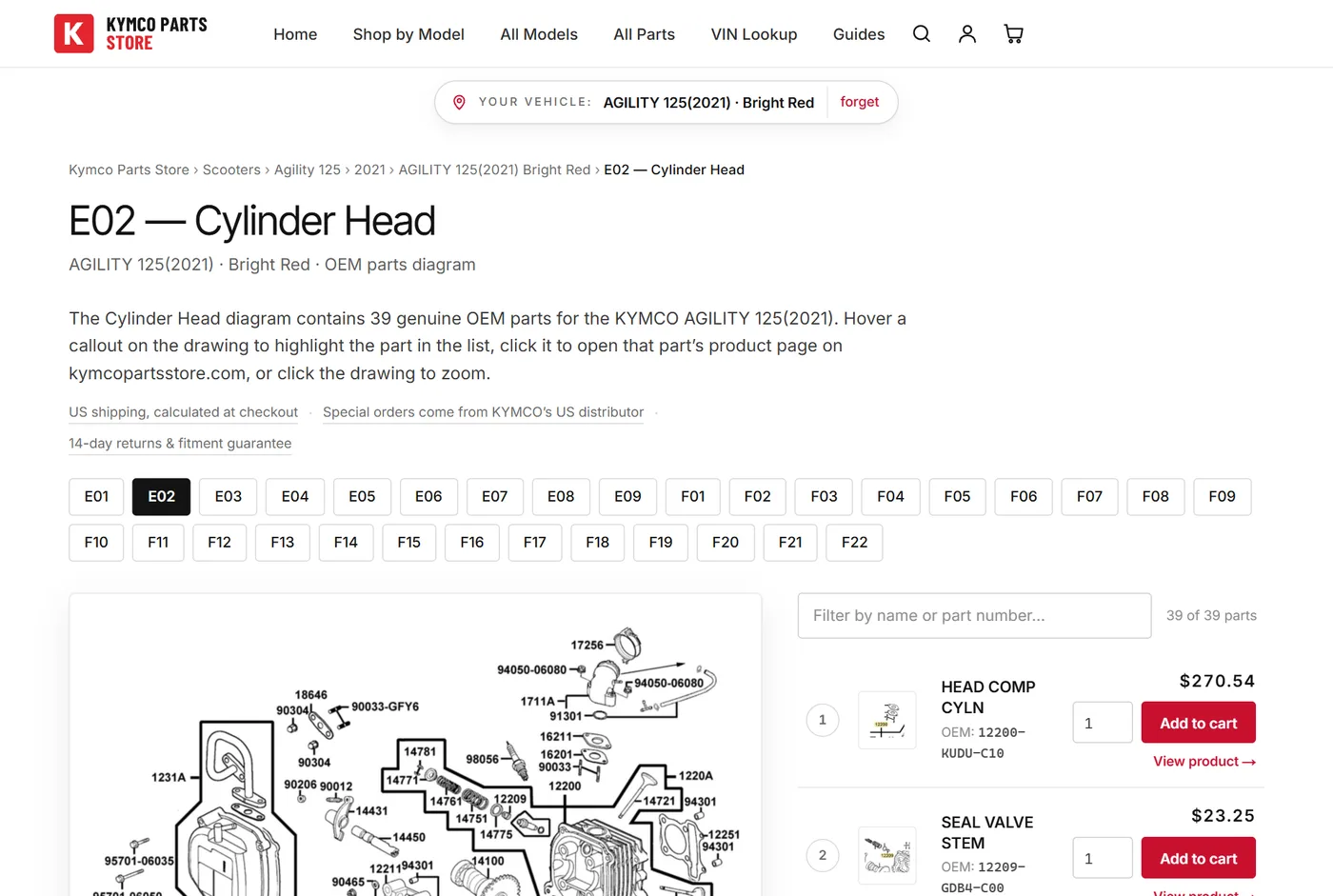
Each diagram page shows an exploded view: the assembly drawn as if taken apart, every piece floating in place, each labeled with a number. Those numbers are the key to the whole page:
- Hover a numbered callout on the drawing and the matching part instantly highlights in the list beside it, with its name, factory part number, price, and how many your machine uses.
- Click the callout and it opens that part's product page on kymcopartsstore.com. Yes, the numbers on the schematic are clickable: see the part in the drawing, click it, buy it.
- Click anywhere on the drawing to open it full-screen and zoom in; the arrows flip to the previous or next diagram without leaving the viewer.
Above the parts list there's a filter box: type any word (“gasket”, “bolt”) or part number fragment and the list narrows as you type. The Qty column tells you how many of that part your machine uses. If the diagram says 4, a full replacement means ordering 4. And the small chips above the diagram (E01, E02, F13…) jump between all of your model's diagrams.
Ready to buy? You don't even need to leave the diagram: every priced part has an Add button with a quantity field right in its row.
Step 4: The product page: your pre-purchase check
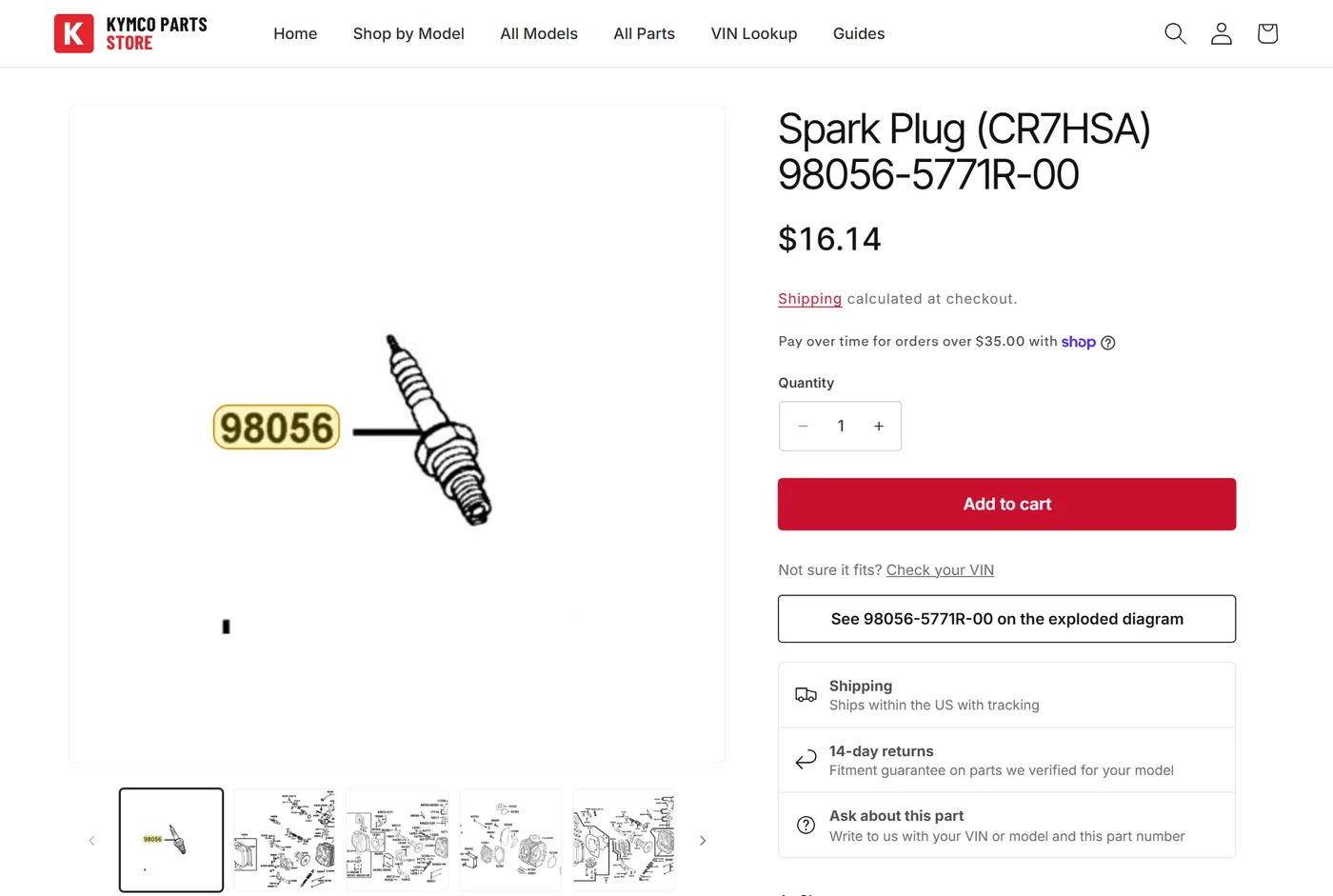
Click a part row on the diagram and you land on that part's product page on kymcopartsstore.com, which is where every KYMCO part is ordered. Three things worth a glance before you add it to the cart:
- The picture. Most parts show their cutout from the factory drawing, a quick visual check that it's the piece you're holding.
- The fitment table. Every KYMCO the part fits, by model and year. If your model and year are in that table, it fits. Full stop.
- “Often needed for the same job.” Parts from the same assembly, usually the gaskets, seals, and small hardware you'll wish you'd ordered once the old part is off. One shipment beats two.
The product page also carries a link back to the diagram catalogue, straight to the diagram the part is drawn on, so you can check the callout and the quantity again at any point.
Ordering, shipping, and tracking
The cart and checkout run on Shopify, the same secure payment system used by millions of stores. Add parts from diagram pages or product pages; they all land in one cart. After checkout you get a confirmation email with a View your order button showing live payment, fulfillment, and tracking status, or find it any time via the order status page.
Shipping is calculated at checkout, parts we special-order come directly from KYMCO's US distributor, and every verified part is covered by 14-day returns and our fitment guarantee: if a part we confirmed for your vehicle doesn't fit, that's on us.
Shortcuts for next time
- Already know the part number? Paste it into search and it goes straight to that part's product page.
- Shop by part type. The All Parts page groups the whole catalog into categories: Brakes, Electrical, Bodywork & Seat, Transmission & Drive, and more.
- Search in plain language, vehicle included. “brake pads super 8” finds brake pads scoped to Super 8 models. Everyday words and even typos are understood.
- Common maintenance parts (belts, spark plugs, batteries, filters) have their own reference charts listing the factory number for every model.
Stuck? Ask us
If you can't find a part or aren't sure what you're looking at, contact us with your VIN (or model, year, and color) and a photo of the part or the problem, and we'll look it up in the factory catalog and point you at the exact diagram. That's what a parts counter is for.